Moon Sweepers co-op lobbies: 16-Player Guide
Explore Moon Sweepers co-op lobbies, the 16-player limit, cleaning progression, launch details, and practical tips for organizing your crew.
Moon Sweepers Co-op at a Glance
An entire Moon, a toothbrush, and up to 15 teammates: Moon Sweepers co-op lobbies turn an absurd cleanup assignment into a group project. Knowing the player limit, progression loop, and confirmed multiplayer features helps you decide whether to rally a small squad or a full crew. Moon Sweepers co-op lobbies support up to 16 players online, with the game scheduled to launch on Steam on October 23, 2026.
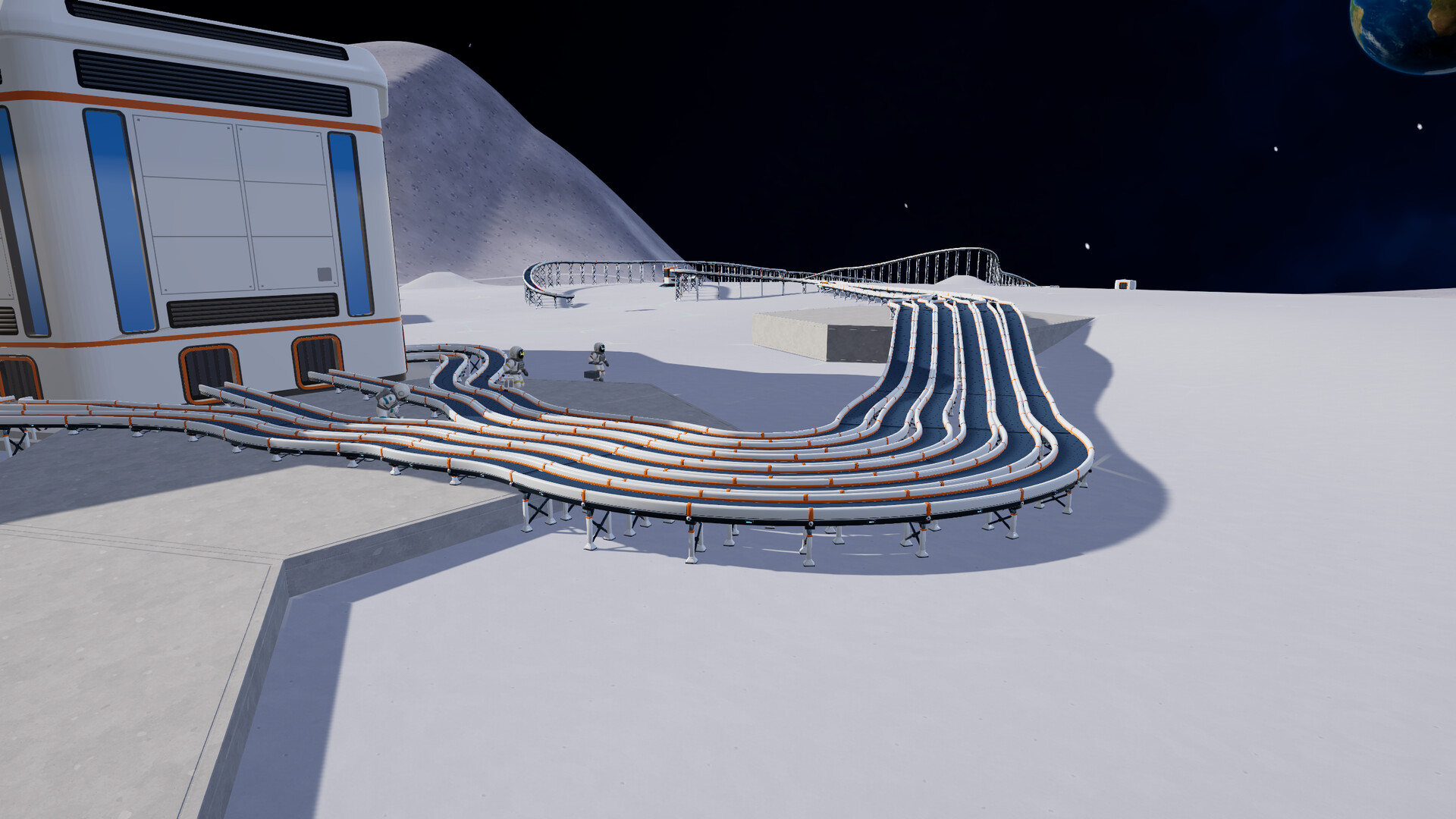
Official screenshot · Source: Steam store
Developed and published by DragDrop Games, Moon Sweepers puts you to work for the Lunar Surface Department. You collect lunar dust, deliver it for payment, and buy equipment that makes the next cleanup less painfully slow.
As of October 20, 2026, this is a prerelease guide. The details below come from the Steam listing and the developer’s launch announcement, not hands-on testing or community reports. Strategy suggestions are planning advice based on the announced mechanics.
| Feature | Confirmed information |
|---|---|
| Maximum crew size | Up to 16 players in online co-op |
| Solo option | Single-player is supported |
| Planned release | October 23, 2026 |
| Announced storefront | Steam |
| Developer and publisher | DragDrop Games |
| Main activity | Collecting and selling lunar dust |
| Progression | Better tools, increased carrying capacity, depots, and cleaning vehicles |
The official Moon Sweepers Steam listing is the best place to check launch availability, system requirements, and updated feature descriptions.
How Moon Sweepers Co-op Lobbies Work
The central multiplayer feature is straightforward: up to 16 players can join the same cleanup crew. That means 16 players total, not one host plus 16 additional teammates.
The developer describes two approaches to cooperative cleaning. Your crew can spread across the surface to cover separate areas, or everyone can work together on the same patch. Neither approach is presented as a separate mode; they are ways to organize the work.
Pick a crew size that fits your group
A full lobby gives you more people to coordinate, but you do not need to fill every slot to enjoy the premise. Solo play is explicitly supported, and the advertised co-op capacity is a maximum rather than a required team size.
The following are planning suggestions, not tested efficiency rankings:
| Crew size | Suggested approach | Coordination priority |
|---|---|---|
| Solo | Learn collection, deliveries, and upgrades at your own pace | Understand the full work cycle |
| 2–4 players | Start near one another and divide a small area | Keep everyone familiar with the process |
| 5–8 players | Assign neighboring cleanup zones | Avoid confusion about unfinished sections |
| 9–16 players | Organize smaller groups around agreed work areas | Keep communication clear and manageable |
For a first session, agreeing on one starting area is a sensible way to keep everyone oriented. Once the crew understands how collection and deliveries work, splitting into smaller groups may be easier to manage.
What has not been confirmed?
The supplied announcements establish the player count, but they do not explain the lobby interface or networking model. There is no verified step-by-step hosting procedure available in these materials.
Before organizing a large session, check the released game or updated documentation for:
- Public versus private lobby settings.
- Steam friend invitations, lobby codes, or other joining methods.
- Whether players can join a session already in progress.
- Dedicated server availability.
- Host migration and disconnect behavior.
- Save ownership and progression persistence.
- How earnings and purchased equipment are handled between players.
These details matter for long-running sessions. Steam Cloud support alone does not establish shared multiplayer progression or transferable hosting. Avoid assuming those systems exist until they are documented.
The Co-op Gameplay Loop: Collect, Ship, Upgrade
Moon Sweepers co-op lobbies are built around a growing cleanup operation. You begin with a toothbrush, gather dust, and use the proceeds to improve your equipment.
The progression is more than a change in tool size. Increased carrying capacity lets you handle more dust between deliveries, while depot placement gives your crew a way to position delivery infrastructure near active work.
| Stage | Announced action | Practical question for your crew |
|---|---|---|
| Collect | Remove dust from the lunar surface | Which area are we cleaning next? |
| Store | Fill your available carrying storage | Are frequent deliveries interrupting work? |
| Deliver | Bring collected dust to a depot | Is the depot close to the current work area? |
| Ship | Launch shipments to receive payment | Does everyone understand the delivery process? |
| Upgrade | Buy improved tools and carrying capacity | Which limitation should we address first? |
| Expand | Place depots and use cleaning vehicles | Are we ready to move into another area? |
Choose upgrades around the problem you notice
The sources do not provide tool prices, collection rates, vehicle specifications, or upgrade costs. That means there is no reliable basis yet for declaring a particular purchase order the fastest.
Instead, use a simple decision rule:
- If cleaning itself feels slow: examine available tool upgrades.
- If storage fills too quickly: consider increased carrying capacity.
- If deliveries involve too much travel: review depot placement.
- If the operation is expanding: investigate cleaning vehicles as they become available.
These are conditional recommendations, not a proven progression route. Exact priorities will depend on the released game’s costs and mechanics.
Make visible progress useful
The developer confirms that cleaned terrain visibly changes. That gives your group a practical reference for deciding where to work next.
For example, a four-person crew could choose adjacent sections and finish one shared area before moving outward. A larger group could agree on boundaries between work zones. Those are organizational choices your team can make without needing an unannounced objective-marker system.
Do not assume that more players will multiply earnings or cleaning speed in a predictable way. Neither source explains multiplayer scaling.
Practical Tips for Organizing Your First Session
The most useful preparation for Moon Sweepers co-op lobbies is not a complicated job chart. It is making sure everyone knows where to work, how to deliver dust, and what the group wants to accomplish.
Start with one complete work cycle
Before spreading out, have everyone learn the basic sequence: collect dust, reach storage capacity, deliver it, and see how payment and upgrades work.
This reduces the chance that a newcomer spends the session cleaning without understanding what happens next. It also lets the group verify important systems firsthand, including whether money and purchases are individual or shared.
Use flexible responsibilities
You can agree on informal responsibilities without treating them as built-in character classes. Neither source announces specialized player classes or role bonuses.
| Informal responsibility | Suggested focus | Important limitation |
|---|---|---|
| Area coordinator | Suggest the next cleanup section | A player agreement, not a confirmed game role |
| Active cleaners | Work through agreed sections | No announced class-specific cleaning bonuses |
| Delivery check | Watch for confusion around depot use | Item handoffs between players are unconfirmed |
| Upgrade discussion | Help identify the current slowdown | Spending permissions and fund sharing are unknown |
| Newcomer support | Explain the basic work cycle | Keep instructions brief and practical |
Rotate responsibilities if people want a change. The goal is to make cooperation easier, not turn a casual session into mandatory shift work.
Match communication to the group
A small crew may only need occasional updates. With a larger lobby, short messages become more useful: identify the section you are cleaning, announce when you are moving, and explain any agreed upgrade priorities.
For a full 16-player group, an external voice channel can help with coordination. However, the supplied materials do not confirm built-in voice or text chat, so check the available options at launch.
Useful first-session habits include:
- Pick a modest initial goal rather than trying to organize the entire Moon.
- Tell teammates before changing work areas.
- Keep depots near active cleanup where practical.
- Pause to reassess when deliveries become inconvenient.
- Leave room for players who prefer relaxed cleaning over strict optimization.
The developer’s premise leaves plenty of space for friends to get distracted. Plan around the pace your group actually enjoys.
Launch Readiness and Multiplayer Requirements
Before scheduling Moon Sweepers co-op lobbies, check that everyone’s computer meets the listed requirements. The Steam page specifies a 64-bit processor and operating system, plus broadband internet.
| Component | Minimum | Recommended |
|---|---|---|
| Operating system | Windows 10 | Windows 11 |
| Processor | Intel Core i5-8400 / AMD Ryzen 5 2600 | Intel Core i5-10400 / AMD Ryzen 5 3600 |
| Memory | 8 GB RAM | 8 GB RAM |
| Graphics | NVIDIA GeForce GTX 1650 / AMD Radeon RX 570 | NVIDIA GeForce GTX 1660 Super / AMD Radeon RX 5600 XT |
| DirectX | Version 11 | Version 12 |
| Available storage | 2 GB | 2 GB |
| Network | Broadband internet | Broadband internet |
These specifications are not a guarantee of a particular frame rate in a full lobby. The provided sources do not include multiplayer benchmarks, host-specific requirements, or measured network usage.
Check platform assumptions before inviting friends
The supplied materials announce a Steam release and list Windows requirements. They do not confirm console versions or cross-platform multiplayer.
Likewise, Steam lists online co-op, but the supplied feature list does not advertise local split-screen. If couch co-op is essential to your group, wait for explicit confirmation rather than treating online multiplayer as equivalent.
Steam Deck compatibility is listed as unknown in the collected store information.
A practical launch checklist is simple: confirm availability, review any new multiplayer instructions, check everyone’s hardware, and test a short session before planning a long cleanup night. Moon Sweepers co-op lobbies have an appealing large-group premise, but the unannounced hosting and save details are worth verifying first.
FAQ: Moon Sweepers Co-op Lobbies
How many players can join Moon Sweepers co-op lobbies?
Moon Sweepers supports up to 16 players total in an online co-op lobby. The developer says crews can divide across different areas or clean the same section together.
Can you play Moon Sweepers alone?
Yes. Single-player is confirmed alongside online co-op. You can take on the cleanup yourself, collecting dust and investing earnings in better equipment without assembling a crew.
How do you host or join a lobby?
The supplied prerelease materials do not document the hosting or joining process. Steam invitations, lobby codes, public matchmaking, and privacy settings remain unconfirmed here. Check the released game’s menus and official instructions for the exact procedure.
Does Moon Sweepers have shared saves or crossplay?
Neither shared multiplayer saves nor crossplay is confirmed in the supplied sources. Steam Cloud is listed, but that does not explain who owns a co-op save or whether teammates retain progress independently. Verify those details before committing to a persistent group session.
Related Guides
Moon Sweepers 16 players: Co-op Features and Tips
Explore Moon Sweepers' 16-player online co-op, October 23 release plans, cleaning progression, PC requirements, and practical crew-planning tips.
Moon Sweepers multi-player: 16-Player Co-op Guide
Explore Moon Sweepers multi-player, including its 16-player co-op limit, cleanup progression, PC requirements, and what remains unconfirmed.
Moon Sweepers online co-op: 16-Player Crew Guide
Explore Moon Sweepers online co-op, its 16-player limit, cleanup progression, PC requirements, and practical tips for planning your lunar crew.
Moon Sweepers carrying capacity: Upgrade Guide
Learn how Moon Sweepers carrying capacity upgrades fit into dust collection, depot deliveries, and smarter progression before launch.
Moon Sweepers developer: DragDrop Games Launch Guide
Meet Moon Sweepers developer DragDrop Games and explore the October 23 Steam release, 16-player co-op, gameplay, and PC requirements.