Moon Sweepers Windows 10: PC Requirements Explained
Check Moon Sweepers Windows 10 requirements, compare minimum and recommended specs, and learn how to check your PC before launch.
Can You Play Moon Sweepers on Windows 10?
A whole Moon needs cleaning, but your first job is checking whether your PC can handle the assignment. Moon Sweepers Windows 10 compatibility is confirmed in the published minimum requirements, so Windows 11 is not mandatory according to the current Steam listing. This Moon Sweepers Windows 10 guide explains the hardware requirements, what the recommended specifications mean, and how to check your computer before buying.
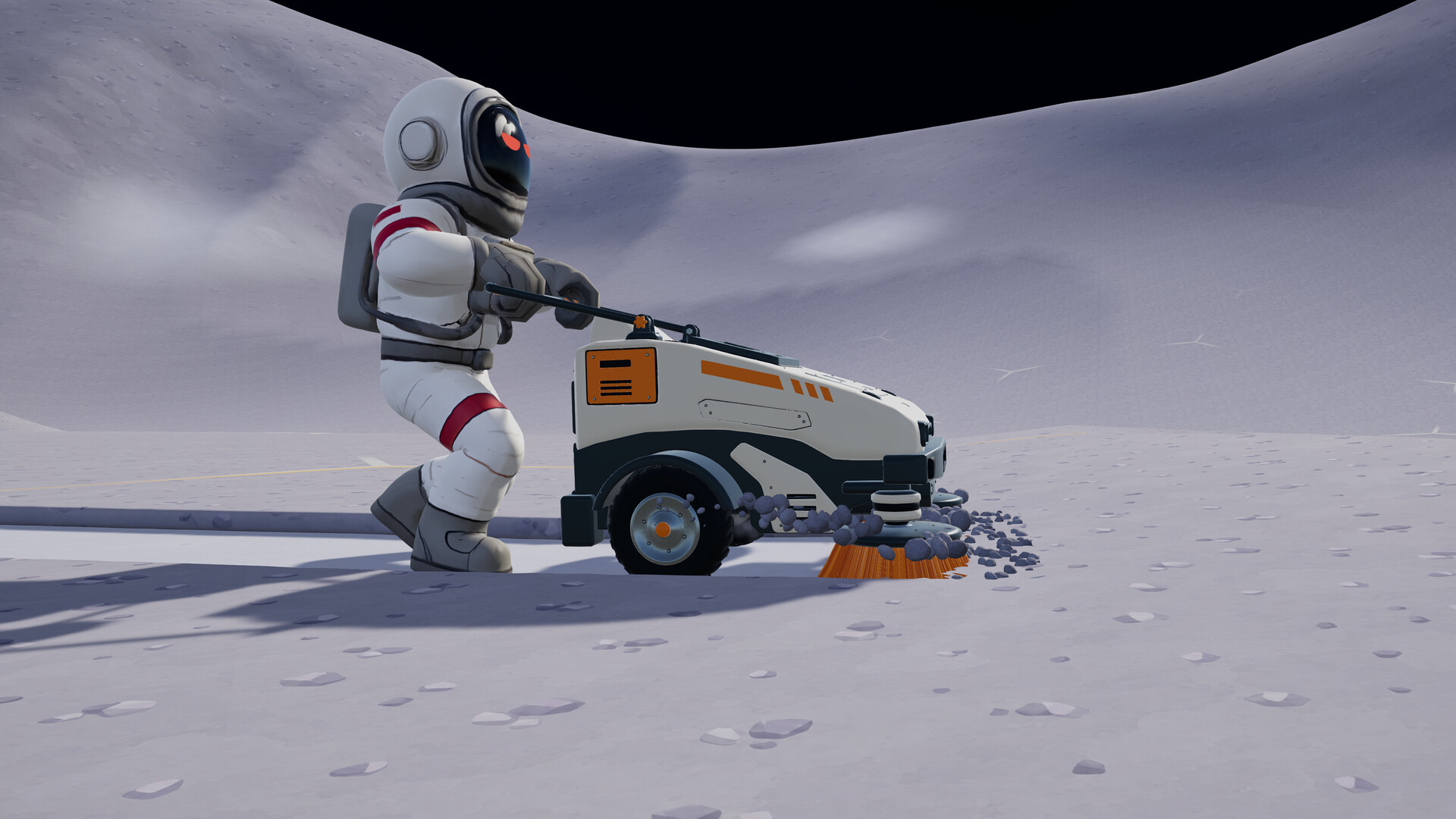
Official screenshot · Source: Steam store
As of October 20, 2026, Moon Sweepers is scheduled to launch on October 23, 2026. The requirements below come from its official Moon Sweepers Steam store page, rather than player testing or estimated benchmarks.
The key distinction is straightforward: Windows 10 appears under minimum requirements, while Windows 11 appears under recommended requirements. Both configurations require a 64-bit processor and operating system.
That answers the operating-system question, but not the entire compatibility question. Your processor, graphics card, memory, and available storage still need to meet the listed specifications. Having Windows 10 installed does not automatically make a PC suitable for the game.
Moon Sweepers is developed and published by DragDrop Games. You collect lunar dust, sell shipments, and reinvest the proceeds in better equipment. It supports solo play and online co-op for up to 16 players, starting with a toothbrush and progressing toward larger tools and cleaning vehicles.
Moon Sweepers Windows 10 Requirements: Minimum vs. Recommended
The published requirements give you two hardware configurations to compare against your computer. Treat them as compatibility guidance, not as a promise of a particular frame rate or graphics preset.
| Component | Minimum requirements | Recommended requirements |
|---|---|---|
| Operating system | Windows 10, 64-bit | Windows 11, 64-bit |
| Processor | Intel Core i5-8400 or AMD Ryzen 5 2600 | Intel Core i5-10400 or AMD Ryzen 5 3600 |
| Memory | 8 GB RAM | 8 GB RAM |
| Graphics card | NVIDIA GeForce GTX 1650 or AMD Radeon RX 570 | NVIDIA GeForce GTX 1660 Super or AMD Radeon RX 5600 XT |
| DirectX | Version 11 | Version 12 |
| Network | Broadband internet connection | Broadband internet connection |
| Storage | 2 GB available space | 2 GB available space |
What Windows 10 users should notice
For Moon Sweepers Windows 10 compatibility, the most important entries are the 64-bit requirement, the listed CPU and GPU models, and DirectX 11.
The recommended column raises the processor and graphics-card specifications, while RAM and storage stay unchanged. It also lists Windows 11 and DirectX 12. That does not override Windows 10’s inclusion in the minimum configuration.
However, the listing does not explain every possible hardware-and-OS combination. A Windows 10 computer with a GTX 1660 Super exceeds the minimum graphics specification, but it does not exactly match the complete recommended configuration because that configuration specifies Windows 11.
What the requirements do not tell you
The supplied listing does not specify:
- A target resolution, such as 1080p.
- An expected frame rate, such as 30 or 60 FPS.
- Which graphics preset corresponds to either configuration.
- A separate requirement for hosting multiplayer sessions.
- An SSD requirement.
- Specific laptop or integrated-graphics configurations.
Consequently, describing the minimum specifications as “1080p at 60 FPS” would be unsupported. The same applies to claiming that recommended hardware guarantees flawless performance in a full 16-player lobby.
How to Check Your Windows 10 PC Before Buying
Checking your specifications takes only a few minutes. For a useful Moon Sweepers Windows 10 comparison, record the exact model names rather than broad labels such as “Core i5” or “NVIDIA graphics.”
Different generations and product tiers can have substantially different capabilities, even when their names sound similar.
| What to check | Where to check in Windows 10 | What to record |
|---|---|---|
| Windows edition and system type | Settings → System → About | Windows version and whether the OS is 64-bit |
| Processor and RAM | Settings → System → About | Full CPU model and installed memory |
| Graphics card | Task Manager → Performance → GPU | Exact GPU name; check each GPU if several appear |
| DirectX information | Press Windows + R, enter dxdiag | DirectX version and display-device details |
| Available storage | File Explorer → This PC | Free space on the intended installation drive |
Step 1: Confirm the 64-bit requirement
Open Settings → System → About and look for System type.
The game requires both a 64-bit processor and a 64-bit operating system. A computer running 32-bit Windows does not meet that requirement, even if its processor supports 64-bit software.
Step 2: Compare the full CPU model
The minimum processor options are an Intel Core i5-8400 or AMD Ryzen 5 2600. The recommended options are an Intel Core i5-10400 or AMD Ryzen 5 3600.
Do not assume every Core i5 meets the requirement. An older desktop chip or a low-power laptop processor needs a more careful comparison. If your CPU is not listed, consult reliable performance comparisons rather than judging by brand or clock speed alone.
Step 3: Identify the graphics hardware
Check whether your computer uses a dedicated graphics card, integrated graphics, or both.
The minimum GPU examples are the GTX 1650 and RX 570. The listing does not provide an integrated-graphics alternative, so integrated graphics should not be treated as confirmed compatible simply because the computer runs Windows 10.
On a laptop with two GPUs, confirm that the game uses the dedicated GPU rather than the integrated one.
Step 4: Check memory and installation space
Both requirement tiers specify 8 GB RAM and 2 GB of available storage.
Close unnecessary applications before playing, particularly on an 8 GB system. Also, avoid leaving exactly 2 GB free on your drive: Windows, Steam, and future game updates may need additional working space. The published game requirement is 2 GB, but keeping extra space available is sensible preparation.
What Performance Can Windows 10 Players Expect?
The honest answer is that the supplied sources establish specifications, not measured performance. As of the reference date, the Steam listing has no user reviews, and the provided material contains no benchmarks.
A practical Moon Sweepers Windows 10 assessment should therefore distinguish between meeting the published requirements and knowing how smoothly the game runs.
| Your PC’s situation | What the published requirements indicate | Sensible next step |
|---|---|---|
| Meets every minimum specification | Matches the listed baseline configuration | Check launch-day testing for performance details |
| Meets minimum specs but has only 8 GB RAM | Meets the stated memory requirement | Close memory-heavy background apps |
| Has recommended CPU and GPU, but Windows 10 | Exceeds minimum hardware examples but differs from the full recommended configuration | Keep the OS distinction in mind when comparing results |
| Falls below a listed CPU or GPU | Does not meet the published minimum in that component | Wait for credible testing before purchasing |
| Uses integrated graphics | No integrated GPU configuration is specified | Look for testing of the exact graphics hardware |
Avoid unsupported FPS predictions
A GTX 1650 appearing in the minimum column does not establish a particular resolution, frame rate, or image-quality level. Likewise, a 2 GB storage requirement does not prove that the game is easy to run.
The size of an installation tells you little about the rendering workload. Evaluate storage and graphics performance separately.
Treat multiplayer performance as an open question
Moon Sweepers supports up to 16 players in online co-op. However, neither supplied source gives separate host requirements, connection-speed targets, or performance figures for a full lobby.
Do not assume that meeting minimum specifications guarantees the same experience in solo play and a busy multiplayer session. That is something launch testing and clearly labeled player experience can help establish later.
Prepare without relying on unofficial fixes
Before launch, update your graphics driver through the GPU manufacturer and install applicable Windows updates. If performance problems occur after release, start with the game’s available settings and official support information.
Avoid downloading unofficial DLL files or applying speculative configuration changes simply because a generic optimization guide recommends them.
Launch Preparation, Internet Requirements, and Common Misreadings
The Moon Sweepers Windows 10 requirements are only part of getting ready. You should also understand the release status, network listing, and differences between confirmed features and unanswered questions.
As of October 20, 2026, the game is not yet available on Steam. Its planned release date is October 23, 2026. You can wishlist it now, then recheck the store page around launch in case the specifications change.
| Question | Confirmed information | Important limitation |
|---|---|---|
| Can you play alone? | Single-player is listed | The sources do not establish offline launch behavior |
| How many people can play together? | Online co-op supports up to 16 players | No separate host specifications are provided |
| Is internet listed as a requirement? | Broadband is listed in both tiers | No minimum download or upload speed is stated |
| Is an SSD mandatory? | Only available storage capacity is specified | No required drive type is named |
| Is Windows 11 mandatory? | Windows 10 is listed as the minimum OS | Windows 11 is the recommended OS |
A short pre-purchase checklist
Before committing to Moon Sweepers Windows 10 play, work through these checks:
- Confirm your OS: Windows 10 must be 64-bit.
- Record your hardware: Compare exact CPU and GPU models.
- Check RAM: Make sure at least 8 GB is installed.
- Allow storage headroom: Meet the 2 GB requirement without filling the drive.
- Plan for connectivity: Broadband is part of the published requirements.
- Revisit the listing: Confirm launch timing and specifications before purchase.
If your PC falls below the minimum, waiting for reliable testing is more useful than assuming the game’s lighthearted premise means lightweight hardware demands. If it meets the minimum, you have a documented starting point—but not a verified performance guarantee.
FAQ: Moon Sweepers Windows 10 Compatibility
Does Moon Sweepers run on Windows 10?
Yes. The official minimum requirements list 64-bit Windows 10. Your computer must also meet the processor, graphics, memory, DirectX, network, and storage requirements. Windows 10 support alone does not establish compatibility for every PC running that operating system.
Do I need Windows 11 to play Moon Sweepers?
No. Windows 11 is listed in the recommended configuration, while Windows 10 is listed in the minimum configuration. Based on the published specifications, you do not need to upgrade solely because Windows 11 appears in the recommended column.
Is 8 GB RAM enough for Moon Sweepers?
The developer lists 8 GB RAM for both minimum and recommended specifications. That meets the stated memory requirement, but the supplied sources do not provide memory-use measurements. Closing unnecessary browser tabs and background applications is a reasonable precaution on an 8 GB computer.
Can I play Moon Sweepers offline on Windows 10?
Single-player is confirmed, but offline play is not established by the supplied material. Broadband internet appears in both requirement tiers. Do not interpret “single-player” as a guarantee of offline access; check the launch documentation or official support information if offline play is essential to you.
Related Guides
Moon Sweepers 2 GB storage: PC Requirements
Check Moon Sweepers' 2 GB storage requirement, minimum and recommended PC specs, and practical tips to prepare for its October 23 launch.
Moon Sweepers 8 GB RAM: PC Requirements Explained
Check Moon Sweepers 8 GB RAM requirements, compare minimum and recommended PC specs, and learn what to verify before the October 23 launch.
Moon Sweepers AMD Radeon RX 570: Requirements Guide
Check Moon Sweepers RX 570 compatibility, full PC requirements, driver preparation, and what the minimum specs mean before launch.
Moon Sweepers carrying capacity: Upgrade Guide
Learn how Moon Sweepers carrying capacity upgrades fit into dust collection, depot deliveries, and smarter progression before launch.
Moon Sweepers developer: DragDrop Games Launch Guide
Meet Moon Sweepers developer DragDrop Games and explore the October 23 Steam release, 16-player co-op, gameplay, and PC requirements.